
Circal
Circal app icon

The whole year, at a glance.

Plan the year, then zoom in on the day.

Circal turns each of your calendars into a ring around the year, from vacations on the outside to private plans at the center. One continuous view takes you from the whole year down to a single day.

  • Spot free weeks, holidays and busy stretches at a glance
  • Pinch or double-tap from the year to a month, a week and a day
  • Long-press any day or hour to add an event
Download on the App Store Free · Full version as a one-time purchase

From the year to a single day.

Pinch in and the year opens up: months show their days and weekdays, weekends stand out, and event names appear as soon as there's room.

Rotate the circle to bring any month to the top, or double-tap to jump from the year to a month, a week and a day. Tap Today to come back.
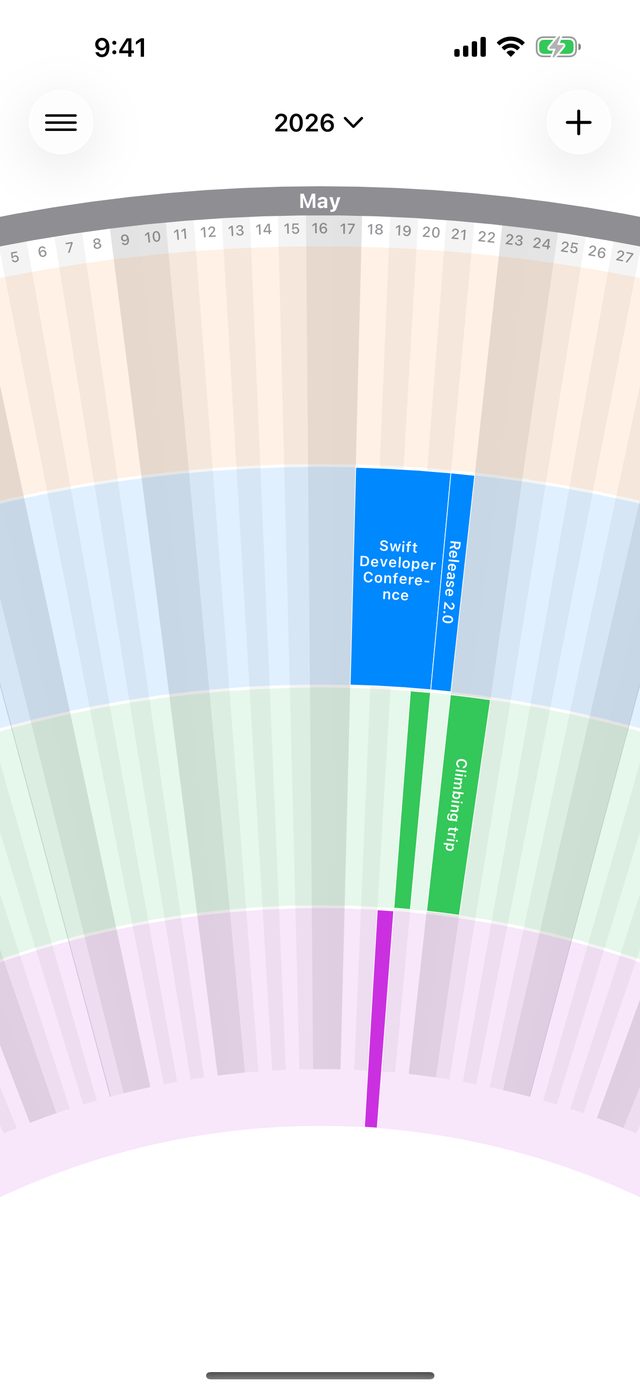
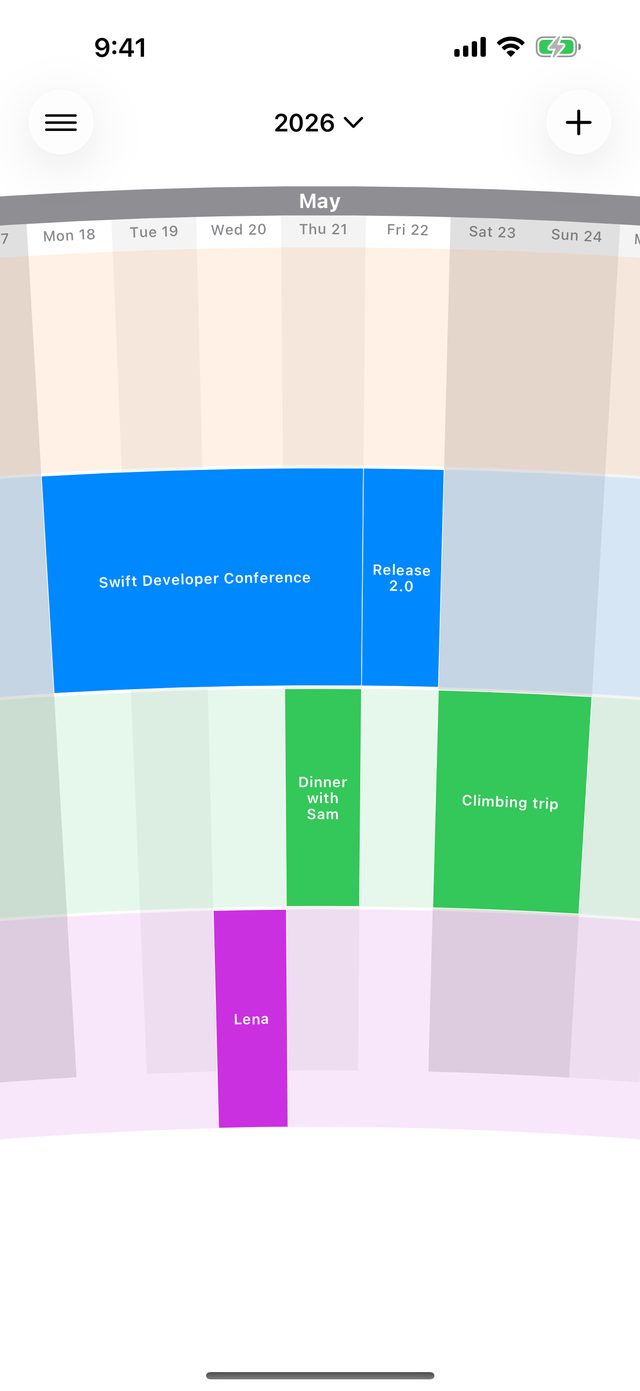
Zoomed in to a month
Zoomed in to a week

Every hour of your day.

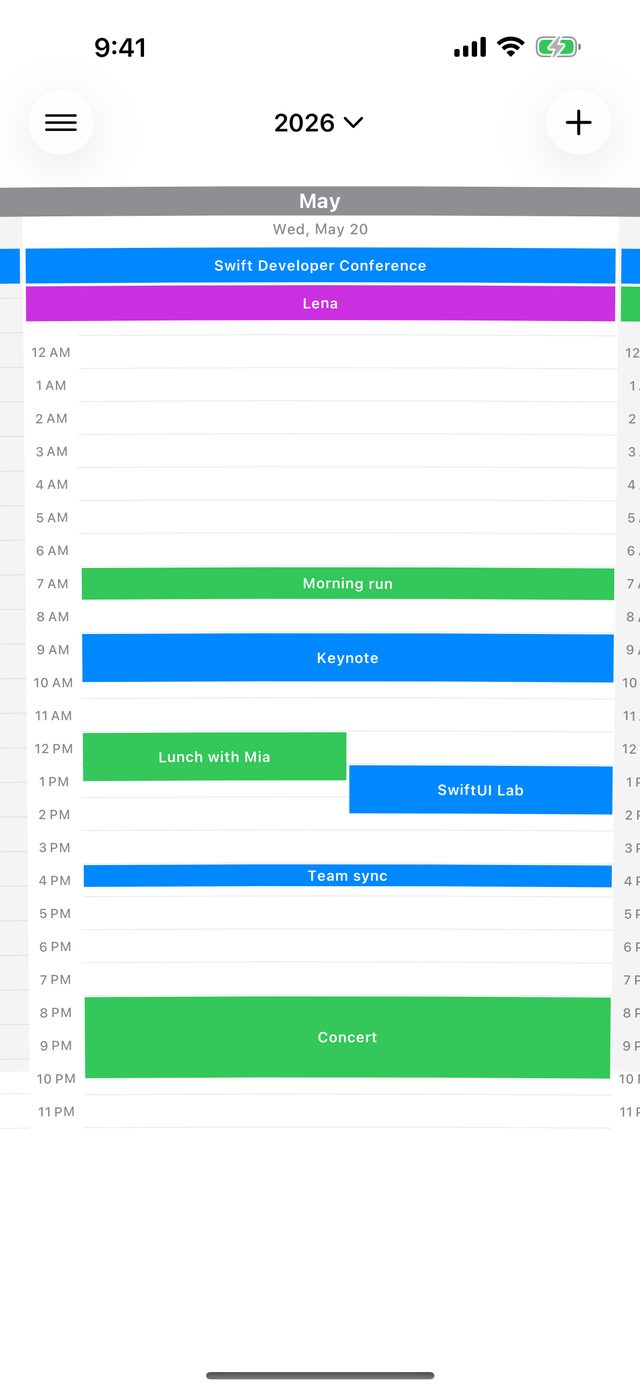
Zoom all the way in and each day turns into a timeline: all-day events on top, every appointment by the hour, overlapping ones side by side.

A red line shows what time it is right now.

A single day as a timeline

Turn it for the whole week.

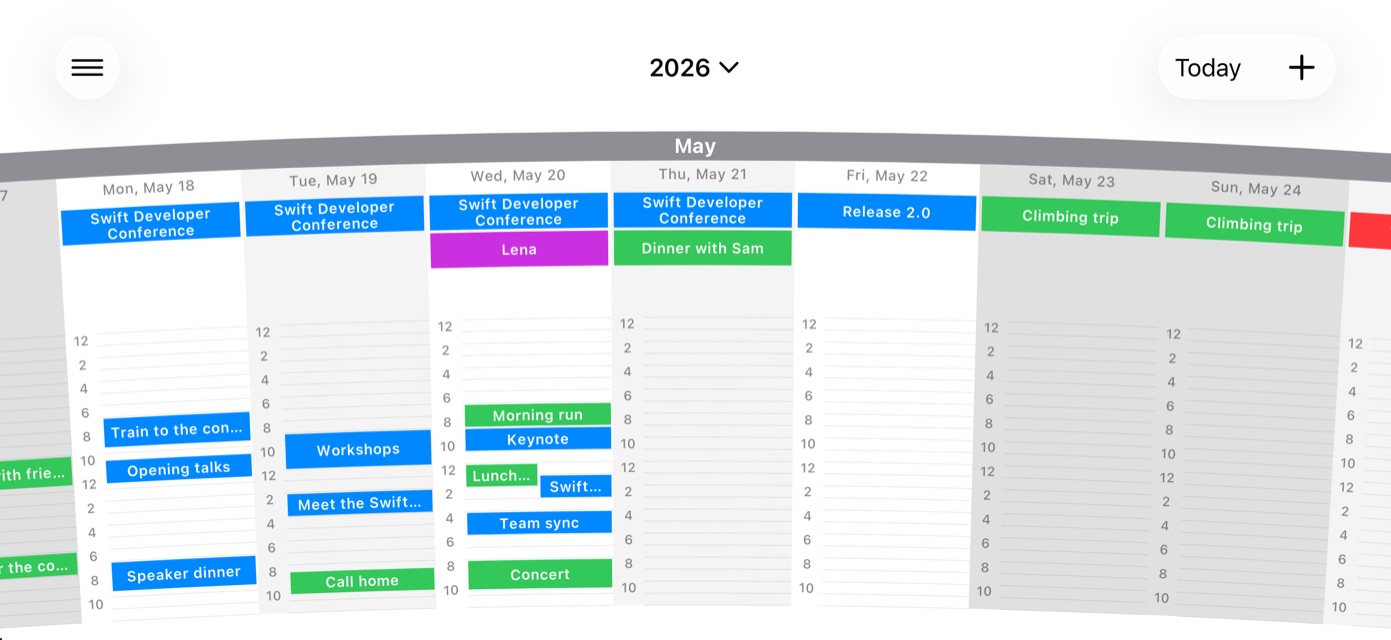
Hold your iPhone sideways and the circle fills the wide screen: a whole week, every day side by side as a timeline of its hours.

A whole week in landscape, every day as a timeline

Each calendar gets its own ring.

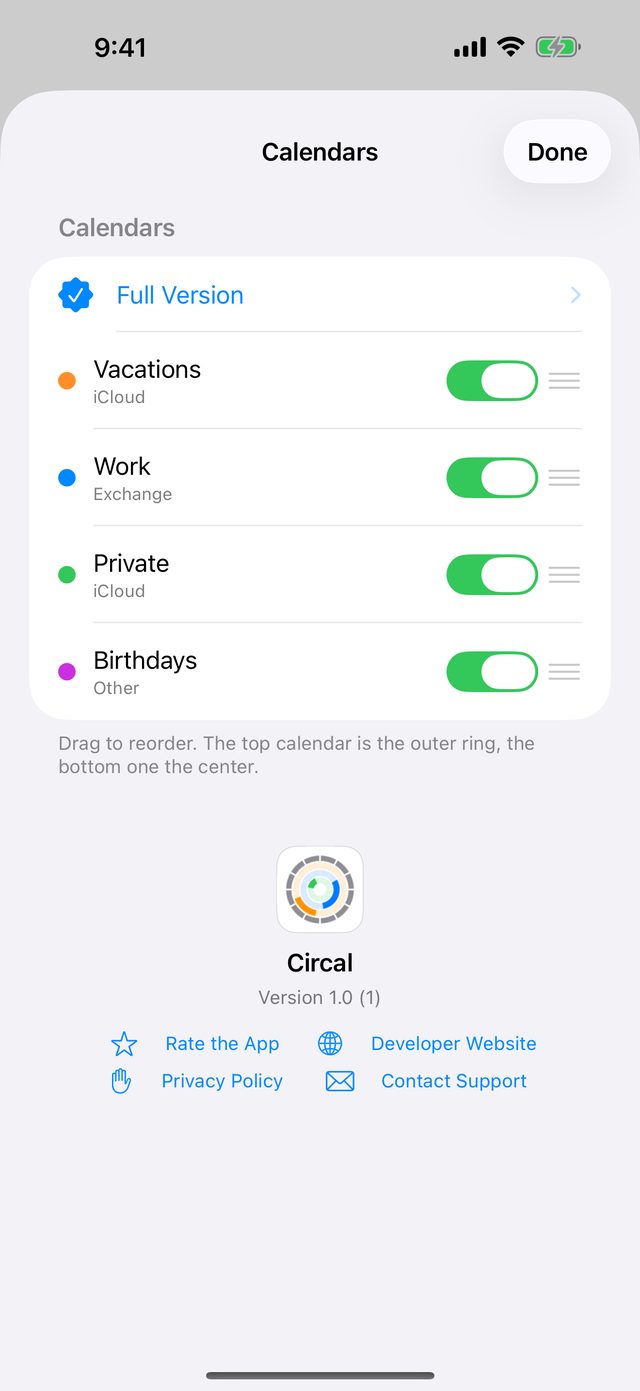
Vacations on the outside, work in the middle, private at the center: every calendar gets its own ring, in the order you choose.

Switch calendars on and off whenever you like. Zoomed out, the rings show all-day and multi-day events, so the big picture stays clear.

Public holidays from your holiday calendar get a ring too, so you can plan around them. Holidays and other subscribed calendars are free in every version.

Choosing calendars and their order

New events, right where you press.

Long-press a day on a ring or an hour in the timeline, and Apple's familiar event form opens with the date already filled in. Or tap + for a new event.

Works with the calendars you already have.

Circal works with the calendars already on your device: iCloud, Google, Exchange and more. Nothing to import, nothing to sync. Tap an event to see or edit it in Apple's own event view.

Start free. Upgrade once.

Circal

Free

  • One of your calendars as a ring around the year
  • Plus public holidays and other subscribed calendars
  • Zoom from the year down to a single day
  • Add and edit events

Circal Full Version

One-time in-app purchase

  • Unlimited calendars, each as its own ring
  • No subscription
  • Restore it on all your devices with the same Apple Account

Private by design.

Circal reads and changes your calendars only on your device, through iOS. Your calendar data is never sent anywhere, not to me and not to anyone else. There's no account and no server of its own, and no tracking or ads.

The full version is bought through Apple's App Store; I don't receive any payment or personal data from it. To improve the app, Circal sends anonymous usage statistics through the privacy-friendly service TelemetryDeck, with an anonymized ID per installation and nothing that identifies you. Details are in the privacy policy.

Good to know

  • Circal runs on iPhone and iPad with iOS 17 or later.
  • It supports the iPhone Duo.
  • It's available in English and German.
  • It shows the calendars on your device. It doesn't replace your calendar account or sync anything itself.
  • There are no widgets yet, and no version for Mac, Apple Watch or Android.
  • You can't invite other people to your events, as Apple's calendar framework doesn't allow apps to do that. But you can respond to invitations you receive.

Press

The press kit has the app icon, screenshots of iPhone and iPad, an app preview video and a fact sheet. All of it may be used for coverage of Circal.

Download the press kit (ZIP, 21 MB) · German press kit (ZIP, 23 MB)

For questions or interviews, write to circal@rupp.digital.